WoW TBC Anniversary Addons Guide
WoW TBC Anniversary Boost
dummy_writerdummy_writer

WoW TBC Anniversary Addons Guide

12 min read29 January 202632307

WoW TBC Anniversary Addons Guide

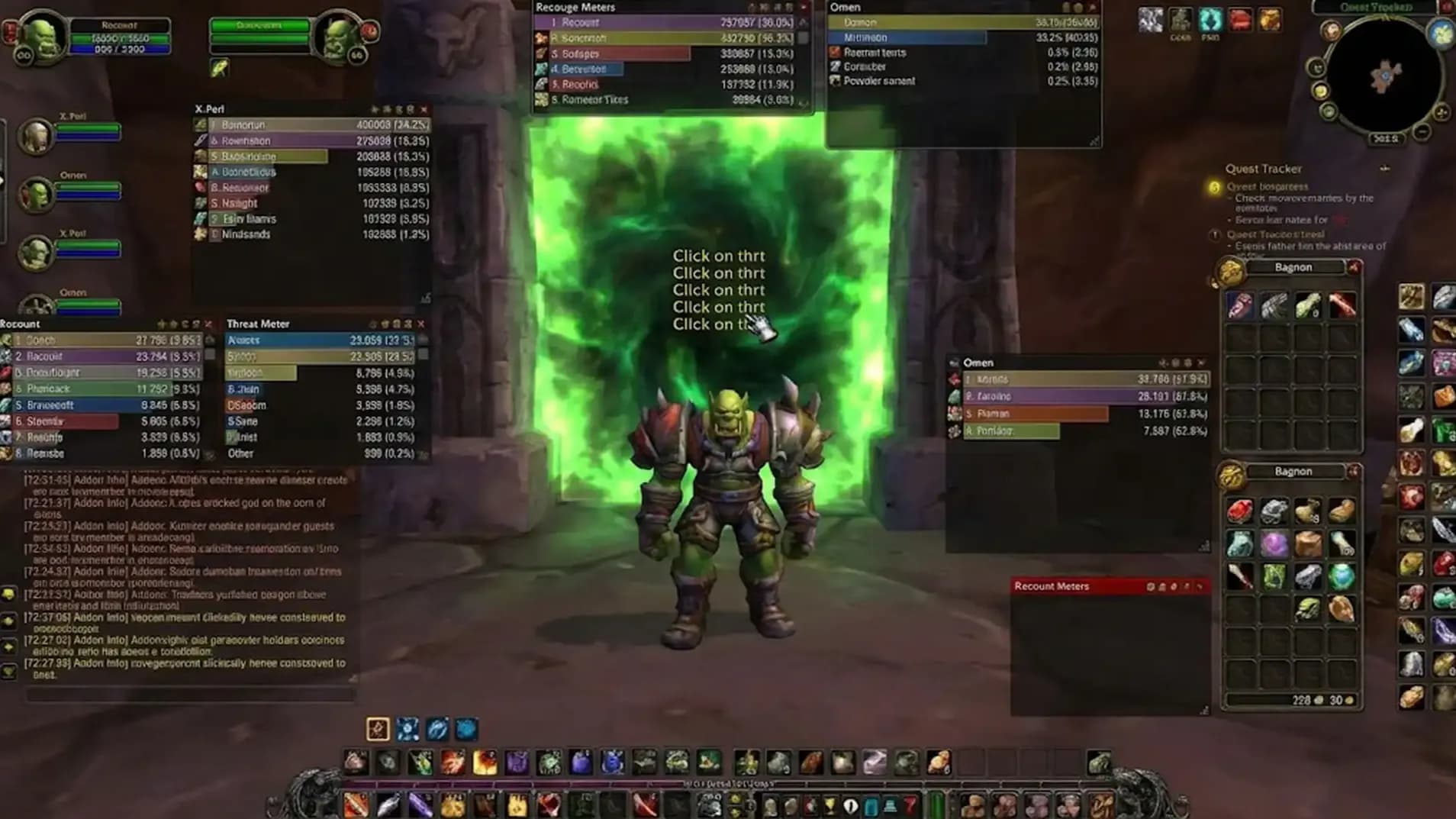
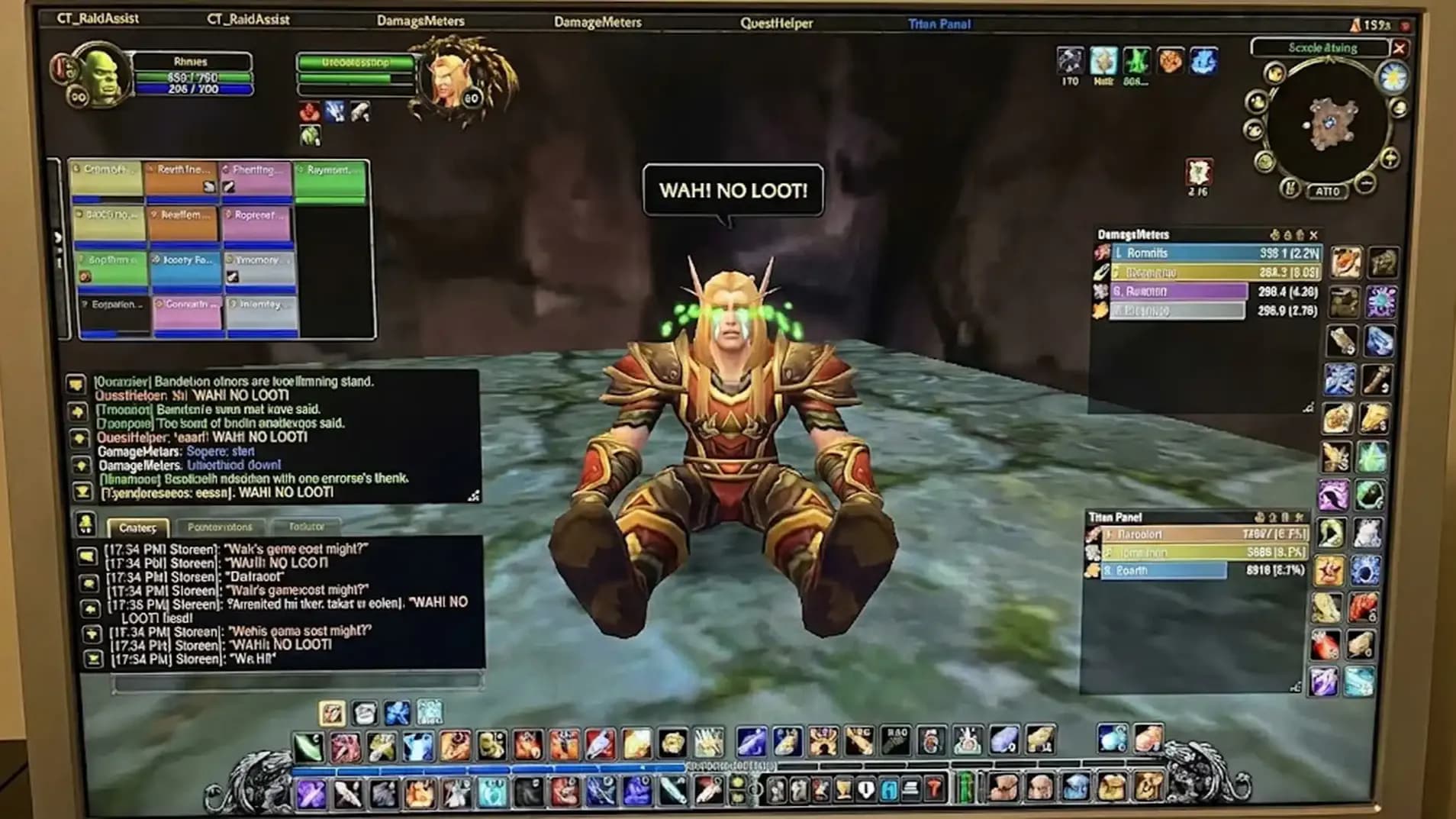
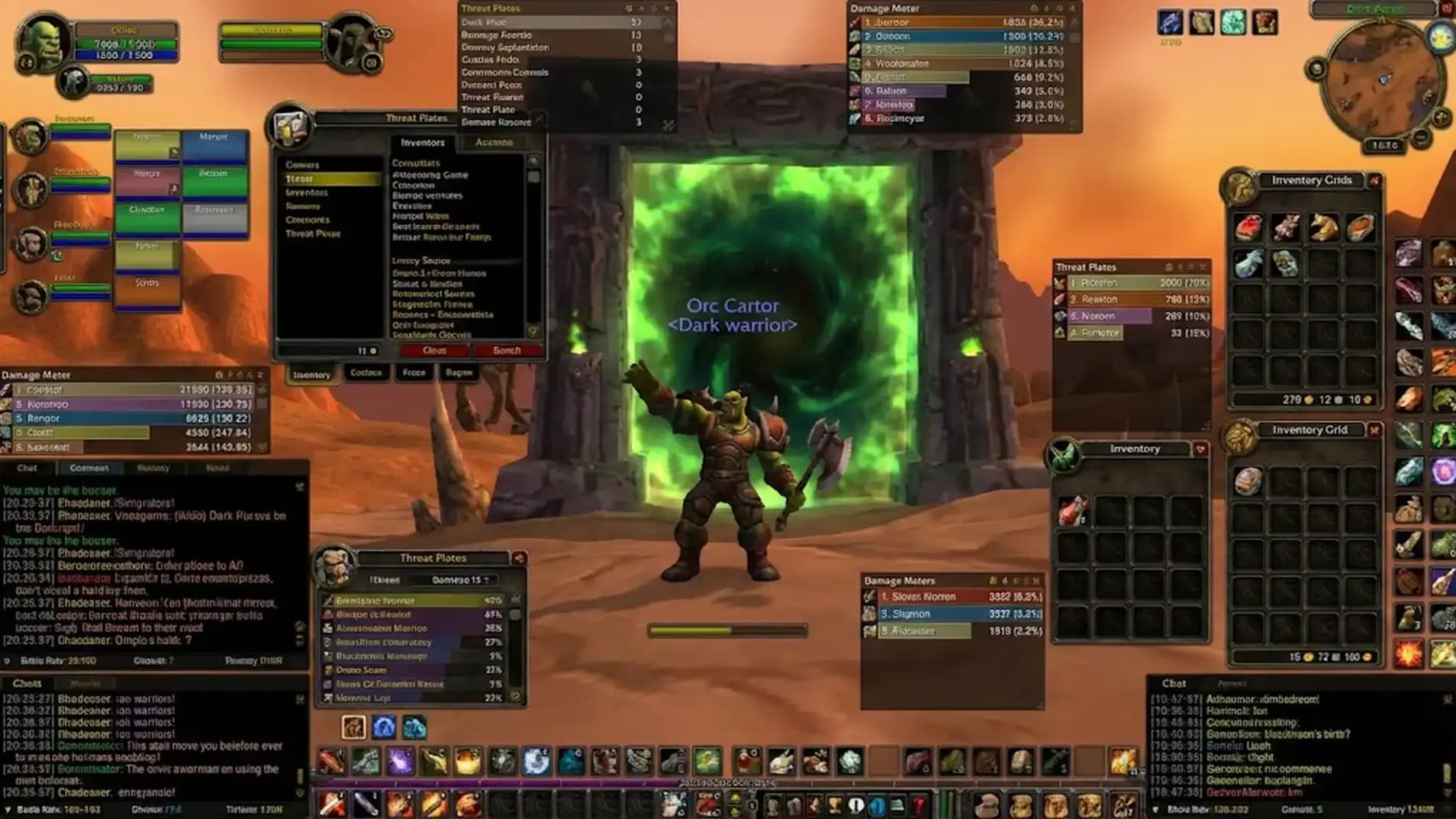
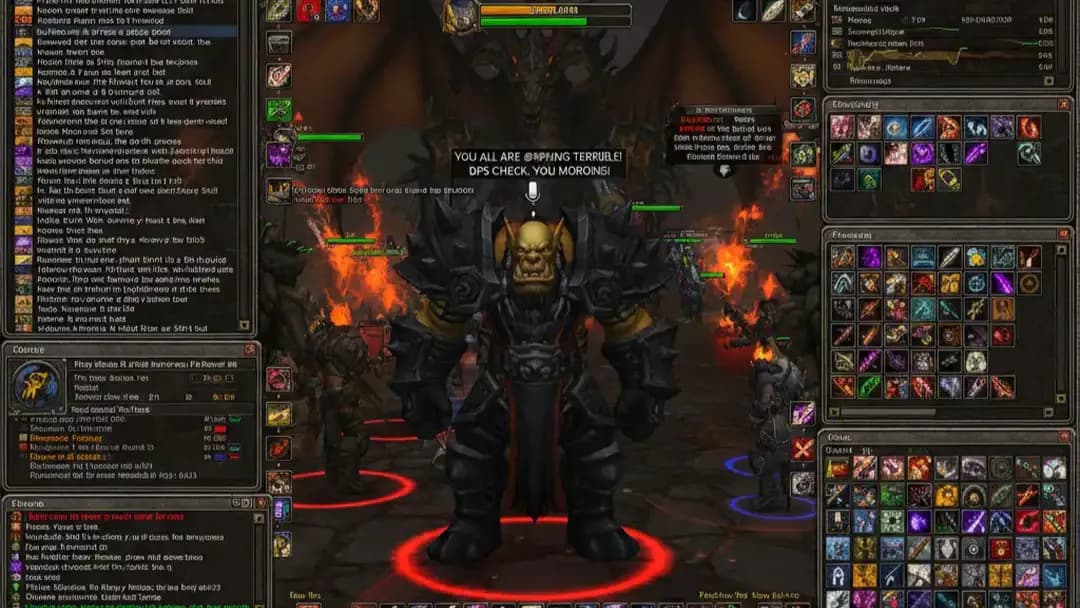
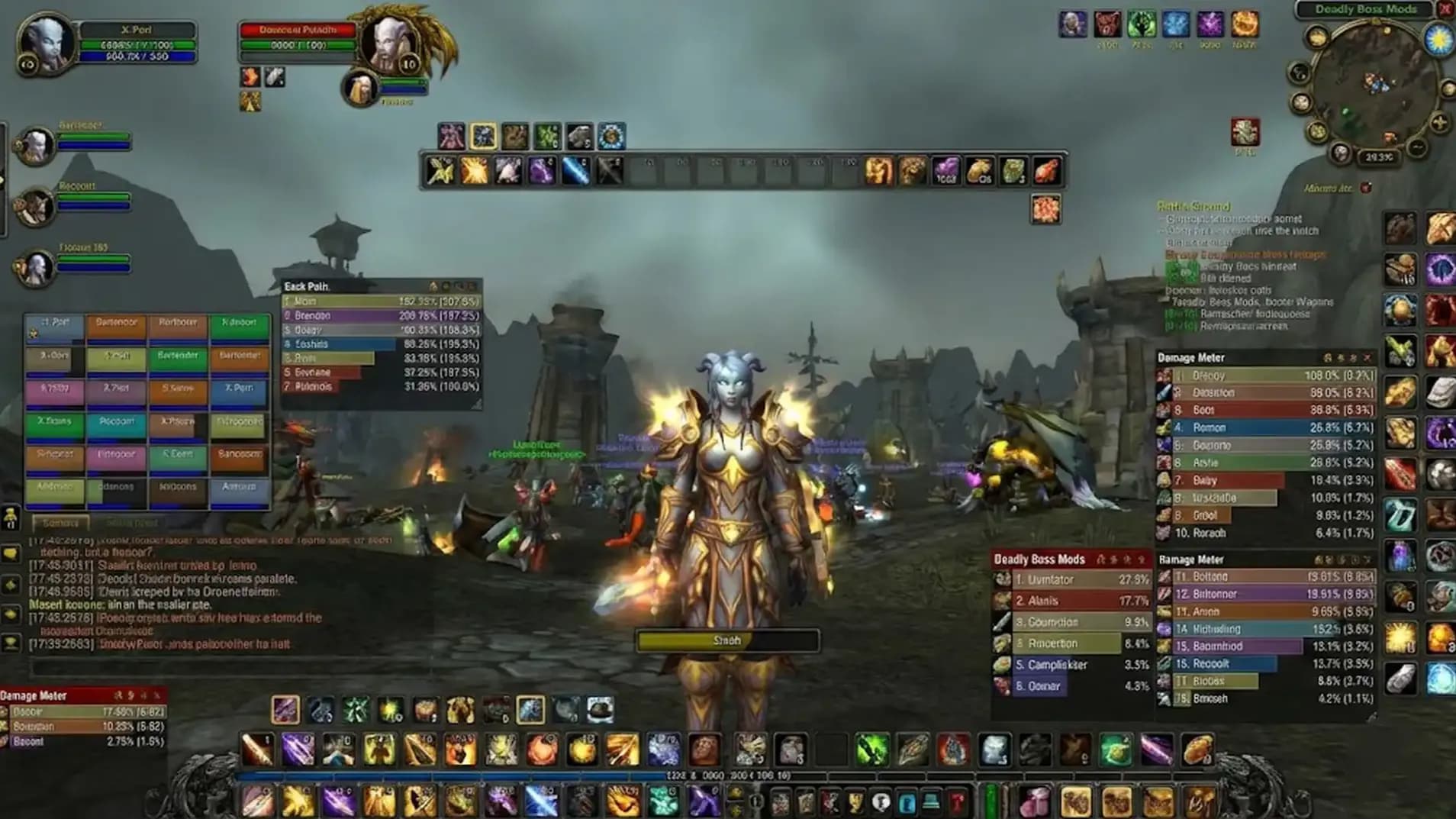
The default UI loves drama, so the player gets tiny quest dots and hidden buffs, then wonders why pulls feel messy, and this is where WoW TBC Anniversary Addons help by putting quests and timers on screen. So let’s learn, which addon:

  • Shows quest marks on the map and minimap in Outland?
  • Tracks attunement chains and shows progress in one window?
  • Merges bags into one window with a search box?
  • Shows raid and dungeon loot tables inside the game?
  • Moves Blizzard windows by simple drag and saves position?
  • Shows dot timers and cooldown timers during fights?
  • Shows CC icons above enemy nameplates during pulls?
  • Adds small buff icons on raid frames for quick checks?
  • Makes the UI dark for long sessions and calm eyes?
  • Helps casters watch the five second mana rule timer?

So let’s overview each of them!

If you’re reading this, you might be interested in a discount just for you—my blog reader! Use code CRINGEBLOG to get an amazing discount on World of Warcraft Anniversary boost in our shop.

WoW TBC Anniversary Addons Guide
Note: At BoostMatch, you can Buy TBC Anniversary Starter Bundle at the best prices with fast delivery. Use our special  PROMO CODE (in green) hidden in this article for a 75% DISCOUNT.
TBC Anniversary Phase 1 Attunements Bundle

• All dungeon attunements

• Every raid key

• Account-wide access

Buy now
TBC Anniversary Pre Raid Gear Boost

• Full pre-raid BiS

• 105–115 ilvl gear

• Reputation progress

Buy now
TBC Anniversary Starter Bundle

• Level 70 ready

• Pre-raid BiS gear

• Key attunements unlocked

Buy now

WoW TBC Anniversary Addons | Overview

Addons are small game tools installed in WoW TBC Anniversary to change the UI and show extra info. This overview covers burning crusade Anniversary addons for leveling and combat tracking, so the player sees quests and key timers inside the game. This list fits TBC Anniversary UI addons and TBC Anniversary leveling addons, with simple setup and clear value.

Addon

What it does

Why it is useful

FontMagic

Changes combat text fonts for damage and healing numbers.

Works as a TBC Anniversary damage font addon, so numbers look clear and styled.

Krowi’s Extended Vendor UI

Expands the vendor window and adds search.

Works as a TBC Anniversary vendor addon, so shopping feels smooth and quick.

BlizzMove

Lets Blizzard UI windows move by drag.

Works as a TBC Anniversary movable UI tool, so frames sit where the player wants.

Attune

Tracks attunement chains and shows progress.

Works as a TBC Anniversary attunement addon, so key steps stay visible.

Dark Mode UI (Classic WoW)

Applies a darker look to the UI.

Works as a TBC Anniversary dark mode addon, so the UI feels calm on eyes.

BuffOverlay

Adds aura icons on raid frames.

Works as a TBC Anniversary raid buff addon, so key buffs and immunities stand out.

RestedXP Guide

Shows step-by-step quest routing with an arrow.

Works as a TBC Anniversary leveling guide addon, and supports TBC Anniversary dungeon leveling guide routing via guides.

NugRunning

Tracks DoTs, buffs, and cooldown timers on targets.

Helps multi-target uptime, so reapply timing stays clear in fights.

NugPlateAuras

Shows important buffs and CC above nameplates.

Fits TBC Anniversary nameplate addon use, and fits TBC Anniversary cc tracking addon needs.

AtlasLoot TBC 2026 Anniversary

Shows dungeon and raid loot tables, plus other sources.

Works like atlas loot TBC, so gearing plans are simple to check.

Bagnon

Merges bags into one inventory window and supports bank view.

Works as a TBC Anniversary bag addon, so items are easy to find.

Details! Damage Meter

Tracks damage, healing, and combat data.

Fits details damage meter TBC needs, so performance is visible during runs.

WeakAuras

Builds custom alerts based on buffs, debuffs, and triggers.

Supports a weakauras TBC guide style setup, so class timers stay visible.

Questie

Marks quests on map and shows objectives.

Fits questie TBC addon use, so quest routes feel clear in Outland.

Leatrix Plus

Adds automation options and UI quality tools.

Fits leatrix plus TBC use, so daily clicks and small chores drop.

Leatrix Maps

Improves world map with reveal, icons, and coordinates.

Helps navigation and planning, so routes feel simple to follow.

FiveSecondRule

Tracks the 5 second mana regen rule with a timer.

Helps casters and healers time regen windows during combat.

WoW TBC Anniversary Addons | Overview
TBC Anniversary Phase 1 Attunements Bundle

• All dungeon attunements

• Every raid key

• Account-wide access

Buy now
TBC Anniversary Pre Raid Gear Boost

• Full pre-raid BiS

• 105–115 ilvl gear

• Reputation progress

Buy now
TBC Anniversary Starter Bundle

• Level 70 ready

• Pre-raid BiS gear

• Key attunements unlocked

Buy now

FontMagic

This addon changes the font used for damage and healing numbers, so the combat text looks clear and fits the UI style during play. FontMagic works well inside burning crusade Anniversary addons lists, and it fits the TBC Anniversary damage font addon idea for players who want a custom look.

  • Install FontMagic, then enter the game and wait for the addon icon to appear.
  • Click the FontMagic icon and open the font list inside the addon menu.
  • Pick a font that fits the UI, then press Apply to set it for combat text.
  • Close the game fully, then open the game again so the new font loads.
  • Return to combat and check damage and healing numbers to confirm the World of Warcraft Anniversary gold boost is active.
FontMagic
TBC Anniversary Phase 1 Attunements Bundle

• All dungeon attunements

• Every raid key

• Account-wide access

Buy now
TBC Anniversary Pre Raid Gear Boost

• Full pre-raid BiS

• 105–115 ilvl gear

• Reputation progress

Buy now
TBC Anniversary Starter Bundle

• Level 70 ready

• Pre-raid BiS gear

• Key attunements unlocked

Buy now

Krowi’s Extended Vendor UI

Krowi’s Extended Vendor UI is a vendor window addon that expands the shop list, so more items stay visible at one time. It fits TBC Anniversary UI addons, and it works as a TBC Anniversary vendor addon when scrolling feels slow during leveling.

  • Install the addon, then enter the game.
  • Talk to a vendor and open the vendor window.
  • Find the addon options on the vendor window, then open settings.
  • Increase rows or columns, then apply the new layout.
  • Close the vendor window, then open it again to check the view.
  • Buy and sell items with less scrolling during runs.
Krowi’s Extended Vendor UI
TBC Anniversary Phase 1 Attunements Bundle

• All dungeon attunements

• Every raid key

• Account-wide access

Buy now
TBC Anniversary Pre Raid Gear Boost

• Full pre-raid BiS

• 105–115 ilvl gear

• Reputation progress

Buy now
TBC Anniversary Starter Bundle

• Level 70 ready

• Pre-raid BiS gear

• Key attunements unlocked

Buy now

BlizzMove

BlizzMove lets Blizzard windows move by simple drag, so the UI can sit in a comfortable spot during quests and dungeons. It fits TBC Anniversary movable UI needs, because panels can be placed on screen and the position stays stored for next time.

  1. BlizzMove is installed, then the game is launched.
  2. A Blizzard window is opened, then the window title is dragged to a new spot.
  3. Shift plus right click on the window title resets the saved position.
  4. Ctrl plus mouse wheel on the window title changes the window scale.
  5. Ctrl plus right click on the window title resets the scale value.
  6. Alt plus drag can detach a child frame, and Alt plus right click attaches it again.
BlizzMove
TBC Anniversary Phase 1 Attunements Bundle

• All dungeon attunements

• Every raid key

• Account-wide access

Buy now
TBC Anniversary Pre Raid Gear Boost

• Full pre-raid BiS

• 105–115 ilvl gear

• Reputation progress

Buy now
TBC Anniversary Starter Bundle

• Level 70 ready

• Pre-raid BiS gear

• Key attunements unlocked

Buy now

Attune

Attune is an addon that tracks attunement progress and shows the full quest chain in one clear view. This addon fits burning crusade Anniversary addons lists, and it works as a TBC Anniversary attunement addon when raid gates depend on long quest steps.

  • Attune is installed, then World of Warcraft is restarted so the addon loads.
  • Chat command “/attune” is typed to open the progress window and view current steps.
  • The quest chain view is used to follow the next step, with the current stage shown on screen.
  • “Survey” is pressed to collect guild progress data from guild members who also use Attune.
  • The Guild summary tab is checked to see consolidated progress for the guild.
  • Chat command “/attune raid” is typed to open the raid planner view for raid planning.
Attune
TBC Anniversary Phase 1 Attunements Bundle

• All dungeon attunements

• Every raid key

• Account-wide access

Buy now
TBC Anniversary Pre Raid Gear Boost

• Full pre-raid BiS

• 105–115 ilvl gear

• Reputation progress

Buy now
TBC Anniversary Starter Bundle

• Level 70 ready

• Pre-raid BiS gear

• Key attunements unlocked

Buy now

Dark Mode UI (Classic WoW)

Dark Mode UI (Classic WoW) changes the game interface into a darker theme, so frames and menus look softer during long sessions. This addon works as a TBC Anniversary dark mode addon for players who want a darker look fast.

  • Dark Mode UI (Classic WoW) is installed, then the game is restarted.
  • On the character screen, AddOns is opened, then Dark Mode UI is enabled.
  • The world is entered, then the UI is checked for the darker theme on frames and menus.
  • Interface Options is opened, then AddOns settings are checked for Dark Mode UI options.
  • Settings are saved, then play continues with the darker UI during quests and dungeons.

BuffOverlay

BuffOverlay adds small status icons on party and raid portraits, so drinking, food, and key cooldowns stay visible during fights. This tool fits burning crusade Anniversary addons lists, and it works as a TBC Anniversary raid buff addon for healers who want clean targets.

  • BuffOverlay is installed, then the game is restarted so the addon loads.
  • Party frames or raid frames are enabled, then portraits are checked for new icons.
  • The addon configuration is opened from the game addon settings menu.
  • Icons for drinking and food are kept active, so quick status checks stay easy.
  • Defensive cooldown icons are kept active, so healing plans stay simple in pulls.
  • Unwanted icons are disabled in the configuration, so the portrait view stays clean.
  • During healing, targets under Ice Block or Divine Shield are skipped, then healing goes to a target that can take World of Warcraft Anniversary phase boost.
Dark Mode UI (Classic WoW)
TBC Anniversary Phase 1 Attunements Bundle

• All dungeon attunements

• Every raid key

• Account-wide access

Buy now
TBC Anniversary Pre Raid Gear Boost

• Full pre-raid BiS

• 105–115 ilvl gear

• Reputation progress

Buy now
TBC Anniversary Starter Bundle

• Level 70 ready

• Pre-raid BiS gear

• Key attunements unlocked

Buy now

RestedXP Guide

RestedXP Guide is a quest routing addon that shows a step list, map marks, and an arrow that points to the next objective. It works as a TBC Anniversary leveling guide addon, so leveling feels organized and the next quest step stays easy to find. Progress updates automatically, so earlier quests already done get counted and the guide moves forward.

  • Install RestedXP Guide, then restart the game so it loads.
  • Open AddOns on the character screen, then enable RestedXP Guide.
  • Enter the world, then open the RestedXP window from the addon button or menu.
  • Pick faction and starting level, then choose a guide route for the current zone.
  • Follow the arrow direction, then use the map marks to reach quest NPCs.
  • Watch the step numbers, then complete quests in the shown order.
  • Let the guide scan quest history, then continue from the current progress point.
TBC Anniversary Phase 1 Attunements Bundle

• All dungeon attunements

• Every raid key

• Account-wide access

Buy now
TBC Anniversary Pre Raid Gear Boost

• Full pre-raid BiS

• 105–115 ilvl gear

• Reputation progress

Buy now
TBC Anniversary Starter Bundle

• Level 70 ready

• Pre-raid BiS gear

• Key attunements unlocked

Buy now

NugRunning

NugRunning is an addon that tracks debuffs and damage over time on several targets, showing clear timers so refresh timing stays simple in fights. It fits TBC Anniversary nameplate addon setups, because timers can appear on nameplates while the character stays close to targets.

  • Install NugRunning, then restart the game so the addon loads.
  • Enter the world, then open Interface Options and find NugRunning in the AddOns list.
  • Choose a timer style, then place the timer frame in a comfortable spot on the screen.
  • Target an enemy, then apply a DoT or debuff and watch the timer count down.
  • Move closer to the target, then check nameplates for the same debuff timers.
  • Enable only important debuffs in settings, so the screen stays readable in pulls.
  • Use the timers to refresh effects on time, so uptime stays high during multi target combat.
TBC Anniversary Phase 1 Attunements Bundle

• All dungeon attunements

• Every raid key

• Account-wide access

Buy now
TBC Anniversary Pre Raid Gear Boost

• Full pre-raid BiS

• 105–115 ilvl gear

• Reputation progress

Buy now
TBC Anniversary Starter Bundle

• Level 70 ready

• Pre-raid BiS gear

• Key attunements unlocked

Buy now

NugPlateAuras

NugPlateAuras shows a big icon above enemy nameplates for key buffs and key debuffs, like CC, silences, and immunities. It fits as a TBC Anniversary cc tracking addon, because CC time stays visible during fights.

  • NugPlateAuras is installed, then the game is restarted.
  • Enemy nameplates are enabled in game, so icons can show above targets.
  • Interface Options is opened, then AddOns settings are used to find NugPlateAuras.
  • Tracked effects are checked, then CC and key cooldown auras are kept active.
  • Icon size is adjusted, then icon position is tuned for a clear view.
  • A fight is started, then a CC like Fear is used to confirm the icon timer.
  • Extra auras are disabled in settings, so the nameplate view stays readable.
TBC Anniversary Pre Raid Gear Boost

• Full pre-raid BiS

• 105–115 ilvl gear

• Reputation progress

Buy now
TBC Anniversary Phase 1 Attunements Bundle

• All dungeon attunements

• Every raid key

• Account-wide access

Buy now
TBC Anniversary Starter Bundle

• Level 70 ready

• Pre-raid BiS gear

• Key attunements unlocked

Buy now

AtlasLoot TBC 2026 Anniversary

This addon is AtlasLoot TBC 2026 Anniversary, and it helps with gear planning by showing dungeon loot and raid loot inside the game. It also adds BiS lists and tooltip hints, so upgrades are easier to spot during World of Warcraft Anniversary leveling boost.

  1. Install the addon, then fully restart the game client.
  2. Open the AtlasLoot window with Shift + Left Click on the minimap button, or use /al options.
  3. Pick Phase 0 or Phase 1, after that pick a dungeon or a raid from the list.
  4. Hover an item in the list to see BiS info inside the tooltip.
  5. Use filters for class or role, so the list stays focused on the current spec.
AtlasLoot TBC 2026 Anniversary

Bagnon

Bagnon is an inventory addon that puts all bag slots into one window, and it adds a search box plus item highlight, so item checks stay simple in Outland. It fits a TBC Anniversary bag addon setup, since the same window can also show bank storage in one place. It also fits burning crusade Anniversary addons, since the layout can be tuned to match other UI parts.

  • After install, the game is opened once, and the addon loads on character login
  • The bag hotkey opens one combined bag window, and all bag slots sit together
  • The search box filters items by name, and matching items stay highlighted
  • The top tabs switch between bags and bank, and bank storage stays inside the same window
  • A sort action can be used when the bag looks messy, and items get grouped with less manual work
  • The same UI can show storage from another character, so alt inventory checks stay simple
TBC Anniversary Phase 1 Attunements Bundle

• All dungeon attunements

• Every raid key

• Account-wide access

Buy now
TBC Anniversary Pre Raid Gear Boost

• Full pre-raid BiS

• 105–115 ilvl gear

• Reputation progress

Buy now
TBC Anniversary Starter Bundle

• Level 70 ready

• Pre-raid BiS gear

• Key attunements unlocked

Buy now

Details! Damage Meter

This addon, Details! Damage Meter, records combat and shows damage or healing in real time, so runs in dungeons and raids get easier to review, and this is why it stays popular inside TBC Anniversary ui addons lists.

  • The command /details opens the main window.
  • Drag the window header to place it on screen.
  • A right click on the title bar switches the shown stat, like Damage Done or Healing Done.
  • A left click on a group name expands the list, so spells and targets become visible.
  • Hover a spell line to see extra info, like total hits and crits.
  • The segment menu selects Current Fight or Overall, so details damage meter TBC numbers match the needed view.
  • The reset button clears stored data before a new pull, so the next report stays clean.
TBC Anniversary Phase 1 Attunements Bundle

• All dungeon attunements

• Every raid key

• Account-wide access

Buy now
TBC Anniversary Pre Raid Gear Boost

• Full pre-raid BiS

• 105–115 ilvl gear

• Reputation progress

Buy now
TBC Anniversary Starter Bundle

• Level 70 ready

• Pre-raid BiS gear

• Key attunements unlocked

Buy now

WeakAuras

WeakAuras is an addon that shows custom alerts on screen, like icons or bars, when buffs, debuffs, procs, or cooldowns happen, so fights feel simpler inside burning crusade Anniversary addons setups. A ready import string from a weakauras TBC guide can track totem timers or key raid moments, so the UI stays readable during pulls.

  • Install WeakAuras, then enter the game and keep the addon enabled.
  • Type /wa in chat, and the WeakAuras window will open.
  • Press Import, then paste the import string, and press Import again to create the aura.
  • Open the Load tab, then set class or spec, so the aura shows only on the right character.
  • Open the Display tab, then set size and position, so the alert sits in a clean spot.
  • Open the Trigger tab, then check spell name or aura name, so tracking matches the goal.
  • Use Test or a target dummy, so timing and sounds feel right for a TBC Anniversary raid buff addon setup.
  • Use Export to save a backup string, so the same setup can be used later for a TBC Anniversary cc tracking addon style pack.

Questie

Questie is a quest helper addon that adds quest marks to the world map and minimap, so questing in Outland feels guided and simple from start to finish. Inside TBC Anniversary leveling addons setups, quests show up faster on the map, and questie TBC addon tooltips help check rewards without extra clicks.

  • Questie is installed, then it is enabled on the character selection AddOns button.
  • The map gets opened, then yellow quest marks show where new quests start in the current zone.
  • A quest gets accepted, then Questie shows icons for target areas and objectives on the map.
  • A marker gets hovered on the map, then the tooltip shows what to do in that spot.
  • Shift gets held while clicking a quest, then the tooltip shows experience and reputation rewards.
  • The command /questie gets used, then settings open for tracker position and icon size.
  • Objective icons get enabled on the minimap, then travel feels simpler during long routes.
  • The quest tracker stays visible during pulls, then progress stays easy to follow in groups.
TBC Anniversary Phase 1 Attunements Bundle

• All dungeon attunements

• Every raid key

• Account-wide access

Buy now
TBC Anniversary Pre Raid Gear Boost

• Full pre-raid BiS

• 105–115 ilvl gear

• Reputation progress

Buy now
TBC Anniversary Starter Bundle

• Level 70 ready

• Pre-raid BiS gear

• Key attunements unlocked

Buy now

Leatrix Plus

Leatrix Plus is a quality addon that adds small helpers to the game, so daily actions feel faster and simpler during leveling and dungeons. In TBC Anniversary UI addons setups, leatrix plus TBC is used for auto vendor repair, junk sell, fast looting, and extra camera zoom.

  • Leatrix Plus is installed, then it is enabled on the character selection AddOns button.
  • The command /ltp is used in chat, then the Leatrix Plus options window opens.
  • Auto repair is enabled, then gear gets repaired when a repair NPC is used.
  • Sell junk is enabled, then gray items get sold during vendor talks.
  • Auto accept and auto turn-in is enabled, then quest clicks feel faster during TBC Anniversary leveling addons routes.
  • Faster auto loot is enabled, then looting becomes quick after pulls.
  • Max camera distance is enabled, then the camera can zoom out further in open zones.
  • A short test is done at a vendor, then toggles can be adjusted for the preferred gameplay style.

Leatrix Maps

Leatrix Maps is a map addon that upgrades the world map with useful markers and info, so navigation feels simpler in Outland and Azeroth. In burning crusade Anniversary addons lists, it fits TBC Anniversary leveling addons because it shows points like flight masters and dungeon entrances fast.

  • Leatrix Maps is installed, then it is enabled on the character selection AddOns button.
  • The command /ltm is used in chat, then the Leatrix Maps options window opens.
  • Map scale is changed, then the map becomes larger or smaller for comfort.
  • Opacity is adjusted, then the map stays readable during movement.
  • Zone map reveal is enabled, then the full zone can be seen even before full exploration.
  • Coordinates are enabled, then own position and cursor position show on the map.
  • Dungeon and raid markers are enabled, then entrances are easier to find on the map.
  • The map is dragged by the top bar, then it can sit in a preferred screen spot.

FiveSecondRule

FiveSecondRule is a small helper that shows mana tick timing for casters and healers, so regen tracking feels simple during fights and drinking. In TBC Anniversary best addons lists, it fits TBC Anniversary UI addons because the widget stays visible and can be moved.

  • Install FiveSecondRule, then enable it in the AddOns button on character select
  • Enter the world, then find the small tick bar on the screen
  • Open settings – use the addon config in Interface AddOns, or type /fsr if the addon supports it
  • Press Unlock, then drag the bar to a comfortable place
  • Change width and height, then the bar becomes easier to read
  • Watch the tick line, then stop casting near a tick to get mana regen
  • Use the bar while drinking, then sit right before a tick for extra mana gain
  • Press Lock, then the position stays saved

Conclusion

A small addon set can keep quests and key timers visible, so leveling and dungeon pulls stay organized. This guide points the player to simple picks, then suggests one extra tool for attunements or World of Warcraft Anniversary gearing boost.

Skip the Boring Grind

Get boosts, currency, and everything you need for your next big push.

Meet your booster
You may also like
TBC Anniversary Starter Bundle

• Level 70 ready

• Pre-raid BiS gear

• Key attunements unlocked

Buy now
TBC Anniversary Phase 1 Attunements Bundle

• All dungeon attunements

• Every raid key

• Account-wide access

Buy now
TBC Anniversary Pre Raid Gear Boost

• Full pre-raid BiS

• 105–115 ilvl gear

• Reputation progress

Buy now
Related posts
TBC Pre Patch Anniversary Preparation Guide
WoW TBC Anniversary Boost

TBC Pre Patch Anniversary Preparation Guide

Install WoW TBC Anniversary addons and keep quests and timers visible, so the player stays on route in Outland, and reads the UI with ease today.
12 Jan 2026, 23:58
TBC Anniversary Classic Pre-Patch Draenei Shaman Leveling Guide 1–60
WoW TBC Anniversary Boost

TBC Anniversary Classic Pre-Patch Draenei Shaman Leveling Guide 1–60

Install WoW TBC Anniversary addons and keep quests and timers visible, so the player stays on route in Outland, and reads the UI with ease today.

13 Jan 2026, 00:21
WoW TBC Classic Pre-Patch Anniversary Consumables Guide
WoW TBC Anniversary Boost

WoW TBC Classic Pre-Patch Anniversary Consumables Guide

Install WoW TBC Anniversary addons and keep quests and timers visible, so the player stays on route in Outland, and reads the UI with ease today.

13 Jan 2026, 00:56
WoW TBC Anniversary Profession Tier List | What To Choose Right On Pre-Patch
WoW TBC Anniversary Boost

WoW TBC Anniversary Profession Tier List | What To Choose Right On Pre-Patch

Install WoW TBC Anniversary addons and keep quests and timers visible, so the player stays on route in Outland, and reads the UI with ease today.
13 Jan 2026, 02:02

Follow us

Guides · Sales · Upcoming games

banner-horizontal-m

Be Crazy Like Rockstar

GTA 6, new seasons, major updates — get ready to dominate from day one.

Get Started

WoW TBC Anniversary Addons Guide FAQ

How does the player install addons in WoW TBC Anniversary?

Addons are small UI tools that the player installs in the AddOns folder, then enables on the character screen. After login, the addon menu or slash command opens settings and the UI changes right away.

How can the player keep the UI readable after adding addons?

The player can keep the screen readable by hiding extra icons, and placing frames near the edges. Leatrix Plus helps drop small chores, and BlizzMove helps place windows in a calm spot.

What does Attune do during attunement chains?

Attune shows the full attunement chain and marks progress in one window. The player types /attune, checks the next step, and can also view guild progress when friends use the same addon.

How do Questie and Leatrix Maps help during leveling?

Questie marks quests on the map and shows objectives, so the player follows a route with clear targets. Leatrix Maps adds coordinates and zone reveal, so travel planning stays simple in Outland.

How can WeakAuras help with class timers in combat?

WeakAuras can show alerts for buffs and cooldowns, so class timers stay visible during pulls. The player opens /wa, imports a string from a trusted pack, and sets load rules for class.

How does NugPlateAuras help with CC tracking?

NugPlateAuras shows key debuffs and crowd control above nameplates, so CC time stays clear in fights. The player enables nameplates, then keeps only important effects active to reduce clutter.

What does AtlasLoot TBC 2026 Anniversary do for gearing?

AtlasLoot TBC 2026 Anniversary shows dungeon and raid loot tables inside the game, so upgrades are easy to check. The player picks a phase, selects a raid, and hovers items for tooltip hints.

banner-horizontal-m

Be Crazy Like Rockstar

GTA 6, new seasons, major updates — get ready to dominate from day one.

Get Started
banner-horizontal-mobile

Be Crazy Like Rockstar

GTA 6, new seasons, major updates — get ready to dominate from day one.

Get Started